HappySnap vs BackupMaster: Shopify backup compared
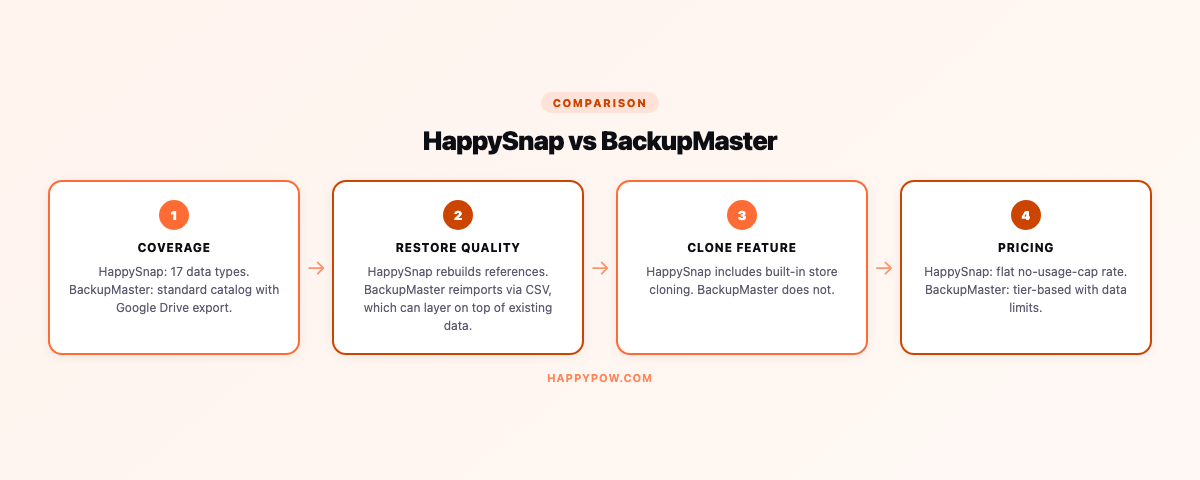
If you want Google Drive export and a SOC 2 audited track record, BackupMaster is a strong choice; if you want full 17-type coverage, point-in-time restore, cloning that rebuilds references, and no usage cap, HappySnap fits better. Both do the same core job, take versioned backups of a Shopify store and copy it to another, but they diverge on coverage, restore, and pricing. We build HappySnap, so check the facts below against each app's current listing before you decide.
Who each one is for
BackupMaster suits teams who want a long compliance track record (SOC 2) and the option to push backups into their own Google Drive or a ZIP export. HappySnap suits teams who want the deepest Shopify coverage, a restore that genuinely reverses mistakes, and pricing with no usage cap.
Coverage
BackupMaster backs up the common Shopify objects with encrypted cloud storage and Google Drive or ZIP export. HappySnap covers all 17 data types, including metafields, metaobjects, markets, translations, and inventory, and treats customer and order data as Protected Customer Data gated to higher plans. If your storefront leans on metaobjects, confirm both handle them the way you expect; see what to back up in a Shopify store.
Restore
This is where a backup earns its keep. HappySnap restores are point-in-time: pick a version, dry-run to see what would change, then roll the whole store or selected types back to that exact state. The thing to check on any tool is whether restore is a true point-in-time reconstruction or just an import you babysit, and whether you can preview before writing. A backup you cannot cleanly restore is just storage. See point-in-time restore explained.
Cloning
Both can duplicate a store for staging or a new market. The detail that matters is reference rebuilding. HappySnap rebuilds references against the destination so a product still lands in the right collection with its metafields intact, and starts copies as Draft. If standing up staging stores is a regular task, read how to clone a Shopify store for what good looks like.
Storage and data control
BackupMaster is SOC 2 audited and can push backups to your own Google Drive, which some teams want for a familiar storage location. HappySnap lets you bring your own cloud bucket, so you hold the data, encrypted at rest. Either way, ask the question that decides it for compliance: when you delete, does the data actually leave their index, or is the request only acknowledged?
Pricing
HappySnap has no usage cap on any plan and a free tier that is a real plan, not a trial; you scale by frequency and history, not by how many products you are allowed to protect. Compare BackupMaster's current pricing against the HappySnap plans for your catalog size, paying attention to any per-volume limits.
Common mistakes when choosing
- Choosing on storage destination (Google Drive) without checking restore quality.
- Overlooking metaobject coverage, then finding sections empty after a restore.
- Ignoring usage caps that bite as the catalog grows.
FAQ
Is HappySnap a BackupMaster alternative? Yes, especially for stores that need metaobject coverage, point-in-time restore, and no usage cap.
Does BackupMaster export to Google Drive? Yes, that is one of its strengths, along with a SOC 2 audit.
Which has better restore? Check both, but HappySnap's restore is point-in-time with a dry-run and conflict policy by design.
The verdict
Want Google Drive export and a long SOC 2 track record: BackupMaster is solid. Want 17-type coverage, point-in-time restore, cloning that rebuilds references, and no usage cap: try HappySnap, compare it to HappySnap vs Rewind, or scan the field in best Shopify backup apps. Start from the Shopify backup basics so you know what you are comparing.