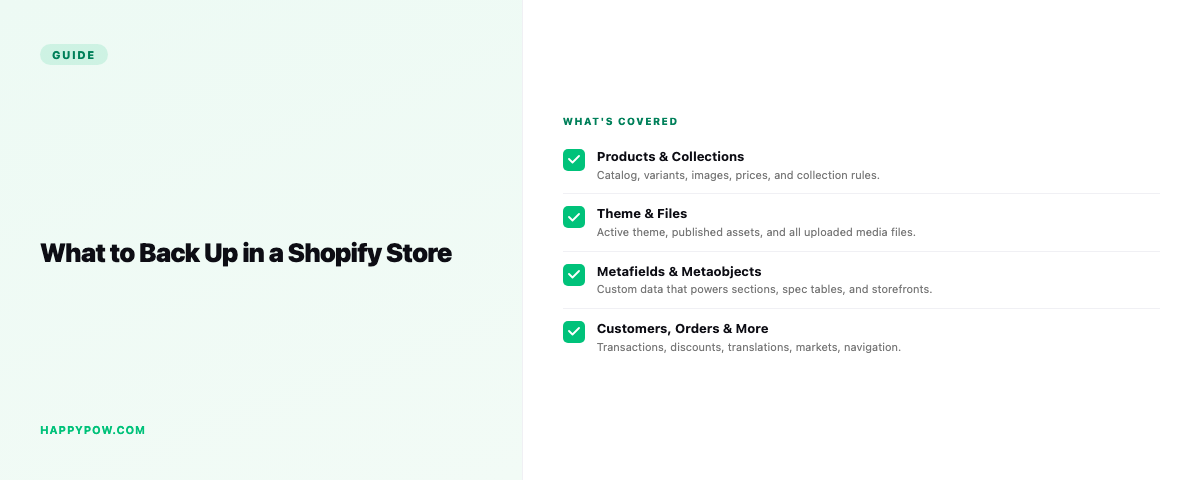
What to back up in a Shopify store (all 17 data types)
A complete Shopify backup covers 17 data types, not just products: collections, customers, orders, draft orders, pages, blogs, files, themes, metafields, metaobjects, discounts, translations, navigation, markets, inventory, and locations. Most tools grab products and call it done. Then a theme edit breaks, a metaobject vanishes, and you learn the backup never held the thing you needed. Here is the full surface area of a store, why each piece matters, and how to check your backup actually covers it.
The catalog
Products, variants, and collections are the obvious core, and the trap is the relationships between them. An automated collection carries rules; a manual one carries a hand-picked list and order. A backup that saves products but loses which collection they belong to leaves you rebuilding by hand, so save the relationships, not just the rows. If you have ever had to recover a deleted collection, you know the rules are the hard part.
Themes and storefront content
Themes, theme settings, pages, blogs, files, navigation, and translations all shape what shoppers see. Shopify keeps recent theme changes for a while, but a deleted page or a wiped navigation menu has no undo in the admin. Content is data. Back it up, including the theme settings that configure the look, not just the Liquid.
Custom data: metafields and metaobjects
Metafields and metaobjects power a lot of modern storefronts, from spec tables to landing-page blocks to entire content models. They are also the first thing cheap exporters skip, because CSV has no clean way to carry them. If your theme reads metaobjects and your backup ignores them, sections render empty after a restore. A backup without custom data is not a backup of your store.
Commerce settings
Discounts, markets, inventory, and locations decide how the store actually sells. Lose a markets configuration or an inventory state and the storefront behaves wrongly even though the products look fine. These are easy to forget precisely because they are not "content", and they are exactly what breaks quietly.
Personal data, handled carefully
Customers, orders, and draft orders are personal data. Under Shopify Protected Customer Data, access is gated and reviewed, so this belongs on a plan with the right controls and encryption, not in a casual CSV. HappySnap keeps customer and order backup to Pro and up for that reason. If you ever need to recover deleted customers and orders, how they were stored matters as much as that they were stored.
How to check your backup covers all of it
Do not assume. Verify:
- Run a test backup, then a dry-run restore on a throwaway store.
- Confirm a product comes back inside its collection, with metafields intact.
- Confirm a theme restores with its settings, and navigation resolves.
- Confirm metaobject-driven sections still render.
- Check whether customer and order data is included and how it is protected.
Common mistakes
- Backing up products only, then losing collections, metafields, or navigation.
- Trusting CSV, which drops metaobjects and references entirely.
- Saving theme code but not theme settings or content.
- Treating customer and order data casually instead of under Protected Customer Data.
FAQ
What should I back up in a Shopify store? All 17 data types: products, collections, customers, orders, draft orders, pages, blogs, files, themes, metafields, metaobjects, discounts, translations, navigation, markets, inventory, and locations.
Does a product CSV count as a backup? No. It misses metafields, metaobjects, and the references between objects, so a restore is incomplete.
Are metafields and metaobjects backed up by Shopify? Not in a way you can restore from. You need a tool that captures them as part of the store.
Cover all of it
HappySnap captures all 17 data types and restores them point-in-time; many tools stop at the first two. See HappySnap, set a cadence with how often should you back up a Shopify store, and step back to the Shopify backup pillar.